
Funk Studio - Make Your Mods
HYOCTMusic
3.4215.00 Reviews
- Version
- 1.0.13
- Installs
- 100.00K
- Age Rating
- Everyone
Screenshots
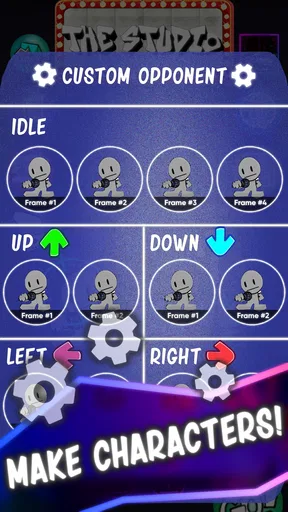
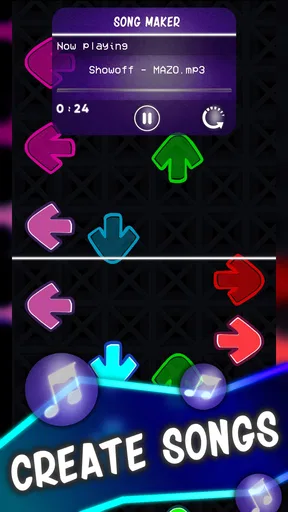
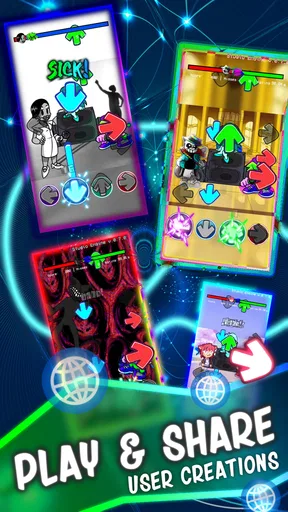
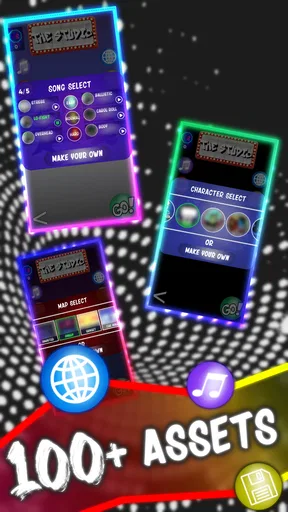
Our Review of Funk Studio - Make Your Mods
 Analysis by Appyee
Funk Studio - Make Your Mods is the kind of music game I would open when I want to experiment rather than simply follow a fixed level. It comes from HYOCT and combines a playable music experience with a codeless creation engine and an online platform for sharing projects. That combination gives it a different feel from a standard rhythm game: instead of only reacting to prepared tracks, I can spend time shaping my own funky ideas and then see what other players have made.
The important distinction is that this is still a game, not a full replacement for a desktop music workstation. I would recommend it to curious players who enjoy tinkering, remixing and trying unusual interactive creations. I would be more cautious about suggesting it to someone who wants a polished campaign, a large licensed-song library or professional audio production tools. Its appeal is experimentation, and that also explains some of its rough edges.
How Funk Studio feels when I start creating
The first few minutes are best approached as an exploration session. The codeless design lowers the barrier for people who like the idea of making a mod but do not want to learn a programming language first. I can focus on arranging an idea and testing how it behaves instead of beginning with syntax, scripts or a traditional development environment. That makes the game approachable for younger players and for anyone who has never built an interactive music project.
That simplicity does not mean every result will be instantly impressive. A codeless tool still asks me to understand its available building blocks and how they interact. The real learning curve is not typing code; it is developing a sense of timing, structure and cause and effect. I found that short experiments work better than trying to design a large project immediately. A small loop gives me something I can test, adjust and share without getting lost in a complicated arrangement.
The music focus is also more playful than technical. I would use it to sketch a rhythm idea, build a strange variation on a familiar game concept or make something that friends can try. It is less suitable when I need precise recording, detailed mixing or the depth of a dedicated digital audio workstation. Those alternatives offer more control over production, while Funk Studio offers a more immediate bridge between music, play and user-made content.
The strongest reason to try it is the short distance between an idea and something playable. I do not have to treat creation as a separate professional project. I can make a small mod, test it, revise the timing and share it as part of the same experience. For me, that makes the game more engaging than a music app that only asks me to press buttons along a predetermined track.
What the online side adds
The online platform changes the way I judge a creation. A private experiment can become something other people play, and that gives even a simple musical sketch a purpose. Browsing community work is useful too, because it shows approaches I might not consider on my own. Instead of learning only from a tutorial, I can study how other players turn the available tools into different kinds of mods.
There is a trade-off here. An online catalogue is more interesting when there is a steady flow of varied projects, but the quality of user-made content will naturally differ. Some creations may feel clever and polished, while others may seem more like quick tests. I would not treat every item as an equally finished game. The platform works best when I approach it as a stream of experiments and ideas rather than a curated store of premium releases.
Sharing also means I need to think about audience. The game is rated Everyone, which makes it broadly approachable, but that should not be confused with every community creation having the same tone or level of refinement. Parents choosing it for younger players may still want to look at what their child is opening and sharing. The age rating makes the core product accessible; it does not turn every user-made project into a carefully edited lesson or musical toy.
Speed during ordinary play
In everyday use, I would expect the game to feel most comfortable when I keep my projects compact and avoid treating it like a large production suite. Short creations are easier to build, revisit and share, and they also reduce the amount of content I need to manage at once. That is a practical workflow rather than a promise of a particular loading time. The game’s design encourages quick ideas, so I think it is better suited to focused sessions than to leaving a huge project open for hours.
The codeless workflow can make the creative process feel faster because it removes the need to write and debug traditional code. However, it does not remove decision-making. I still need to listen, test and adjust. If a mod does not feel right, the slow part is likely to be refining the idea rather than entering commands. Players who expect instant results from every tap may find that the creative side requires patience.
When I am deciding whether to use it on a particular phone, I would pay attention to how comfortably the interface fits the screen and how quickly I can move between making, testing and sharing. The current version is 1.0.13, and the game supports Android 6.0 or newer. That gives it a fairly broad compatibility range, although compatibility alone does not guarantee the same smooth experience on every device.
What happens during heavier sessions
The more demanding moments are likely to come from combining creation, playback and online browsing rather than from a single turn-based challenge. A session may involve opening a community project, testing it, returning to the editor, changing an element and then sharing the result. That kind of back-and-forth is more demanding in attention and workflow than simply playing one short track.
My advice is to build in stages. I would first create the basic musical idea, then test it before adding more layers or presentation details. This makes it easier to identify which change improved the experience and which one introduced a problem. It also gives me a recoverable version of the project instead of forcing me to untangle a large set of changes at the end.
A useful everyday scenario would be a short evening session after school or work. I might spend a few minutes browsing a mod, notice a rhythm or interaction I like, and then make my own simpler variation. Rather than aiming for a complete release, I would save the first playable draft, test it with fresh ears and share it only after checking that the timing still feels intentional. That workflow turns the game into a creative break instead of another task that demands a long uninterrupted block of time.
For heavy users, the main limitation is likely depth. A codeless engine is convenient, but convenience can come with a narrower range of control than a full coding environment or music production tool. If I want exact audio editing, complex logic or highly specialized effects, I would move to a dedicated alternative. Funk Studio is more convincing when the goal is to make something playful and interactive quickly.
Stability, recovery and the cost of experimentation
I judge reliability here less by expecting a professional production pipeline and more by asking whether experimentation feels safe. A good creative game should let me try a small change, test it and return to a workable idea if the new version is not successful. That is why I recommend saving or preserving a simple baseline before making ambitious edits whenever the workflow allows it. It is a sensible habit for any creation tool, especially one built around user-made mods.
Online content adds another layer to reliability. A project I discover may behave differently from one I create myself because it was assembled by another player. If something feels confusing, I would first check whether the issue belongs to the individual mod rather than assuming the whole game is at fault. This distinction matters when browsing a community platform: variety is valuable, but it also means uneven results.
I would keep expectations realistic about recovery. The game’s appeal is that I can experiment, not that every experiment will be perfectly reversible or professionally archived. For important ideas, I would make incremental changes and avoid replacing the only version of a project with a large untested revision. That approach also makes sharing less stressful because I always have a simpler version to return to.
The rating history gives a balanced signal. Funk Studio holds a 3.4 average from around 1.5 thousand ratings, with roughly 215 written reviews, and it has passed 100 thousand installs. I read that as evidence of a real audience with mixed reactions rather than universal agreement. The game has enough interest to support discovery, but the middling average suggests that its creative format and execution will not suit everyone.
Phone limits and practical expectations
The minimum operating-system requirement is Android 6.0, so owners of older compatible-looking hardware should check that basic requirement before trying it. On a newer phone, I would still leave some breathing room for the game and any other apps running in the background, particularly during sessions that switch repeatedly between editing, playback and online content. I cannot treat the minimum OS as a guarantee of identical speed across devices.
Resource demands are also connected to how I use the app. A short, simple mod should be an easier workload than a busy session involving several creations and repeated online browsing. If the phone begins to feel warm or the interface becomes less responsive, I would close background apps, restart the session and test the project in a smaller form. That is a practical way to separate a device limitation from a problem inside one particular creation.
Storage planning matters for a different reason: an online creation platform can encourage me to keep discovering and making more content. I would periodically remove projects I no longer use and keep my collection organized. This is not about claiming a specific storage requirement; it is simply good housekeeping when a game invites repeated downloads, tests and shares.
Battery-conscious players may prefer shorter sessions when away from a charger, especially if they are browsing online content while editing. The game is free to download, but optional in-app purchases range from $1.99 to $2.99 per item. I would begin with the free experience and decide later whether any optional item genuinely improves my personal use. That keeps the cost decision separate from the question of whether the core creative loop suits me.
Who will enjoy it, and who should choose something else
I think Funk Studio is a good match for players who enjoy making small things, testing them and showing them to others. It can also suit someone who likes music games but wants more ownership than a fixed sequence of notes provides. Beginners may appreciate the codeless approach, while experienced creators may enjoy its speed for rough prototypes or playful experiments.
I would not choose it as my main tool for serious music production. A DAW is better when I need detailed tracks, precise mixing, extensive instrument control or a conventional recording workflow. I also would not recommend it to someone who wants a tightly directed rhythm campaign with carefully balanced official levels. A traditional rhythm game will probably provide a clearer progression and more predictable polish.
There is another group that may need patience: players who dislike unfinished-looking user content. The online platform is part of the attraction, but community-made work naturally varies. If I only enjoy content that has been professionally edited and consistently balanced, the open-ended catalogue may feel uneven. If I enjoy finding clever ideas before they are perfect, that same unevenness becomes part of the fun.
My performance verdict after using the concept as intended
Funk Studio succeeds when I treat it as a compact playground for musical game ideas. Its codeless engine makes creation less intimidating, and the online platform gives those creations a reason to exist beyond my own screen. The experience is more personal than a standard music game because I am not only performing someone else’s arrangement; I am deciding what kind of small interactive piece I want to make.
Its limitations are equally important. The workflow may not satisfy people who need professional control, and the community catalogue will not offer uniform quality. Performance expectations should remain sensible on older or less capable phones, even though Android 6.0 or newer is supported. For demanding sessions, I would work in small stages, keep a basic version of each idea and avoid confusing a rough community mod with a failure of the whole game.
HYOCT’s free game is worth trying if you enjoy music, playful design and the satisfaction of turning an idea into something others can interact with. I would start without spending money, make one deliberately small mod and browse a few community creations. If that process feels rewarding, the game has room to become a regular creative habit. If I wanted polished progression, advanced audio engineering or guaranteed consistency, I would choose a more specialized alternative instead.
My final view is positive but measured: this is a better creative sandbox than a conventional rhythm title. It asks me to experiment, accept uneven results and improve through testing. For the right player, that freedom is the main attraction. For everyone else, the lack of professional depth and perfectly consistent content may make it feel more like an interesting side project than a long-term favorite.
Verdict
Strengths of Funk Studio - Make Your Mods
- Simple tools make mod creation approachable for beginners.
- Supports creative customization without requiring advanced coding skills.
- Useful preview options help check changes before exporting.
- Can inspire new ideas through community-made modifications.
- Works well for experimenting with game assets and visual tweaks.
Limitations of Funk Studio - Make Your Mods
- Compatibility may vary significantly between games and device models.
- Some advanced features may require in-app purchases or subscriptions.
- Large mod projects can use considerable storage space.
- Imported files may need manual organization or format conversion.
- Results can be limited by each game's protection and modding support.
Similar Picks in This Category
View All
Tiles Hop Music & Ball Game
AMANOTES PTE. LTD.4.3

Magic Tiles 3™ - Piano Game
AMANOTES PTE. LTD.4.6

Real Piano
Bilkon3.7

Piano Game: Classic Music Song
Dream Tiles Piano Game Studio4.0

Smash Colors: Music Ball Rush
BADSNOWBALL HONGKONG LIMITED4.2

Piano Music Go-EDM Piano Games
Joy Journey Music Games4.5
Frequently Asked Questions
What is Funk Studio - Make Your Mods?
Funk Studio - Make Your Mods is a creative tool designed for users who want to build and customize their own game modifications, commonly known as mods. It provides an accessible way to experiment with characters, visuals, levels, or other game-related content, depending on the supported features. The app is aimed at both beginners and experienced creators who enjoy personalizing their gameplay experience.
Is Funk Studio - Make Your Mods suitable for beginners?
Yes, Funk Studio appears to be designed with accessibility in mind, making it possible for newcomers to start creating without advanced programming knowledge. However, users may still need time to understand the available menus, editing tools, and export options. Beginners should expect a learning period, especially when creating more detailed or complex modifications rather than simple visual changes.
What can I create with Funk Studio - Make Your Mods?
The types of content you can create depend on the app version and the game or modding system it supports. In general, Funk Studio focuses on letting users customize elements such as characters, artwork, animations, music, stages, or gameplay-related assets. Before downloading, it is worth checking the current feature list because compatibility and available creation tools may vary between updates.
Does Funk Studio work with every game or device?
No, Funk Studio should not be assumed to work with every game, Android phone, tablet, or iPhone. Modding tools normally depend on specific game formats, operating-system permissions, and supported file types. Some projects may require additional steps, compatible versions, or manual file management. Check the official store listing and device requirements carefully before installing, particularly if you plan to export or share mods.
Is Funk Studio - Make Your Mods safe to download and use?
The safest approach is to download Funk Studio only through a trusted official store or a verified developer source. As with any app involving custom files, users should be cautious when importing mods from unknown websites, since external files may contain unwanted content or require risky permissions. Review the requested permissions, keep your device updated, and avoid installing modified packages from unverified sources.
Play our best games!


